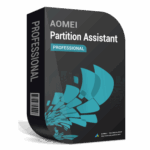
AOMEI Partition Assistant Professional – Advanced Disk Management for Peak Windows Performance
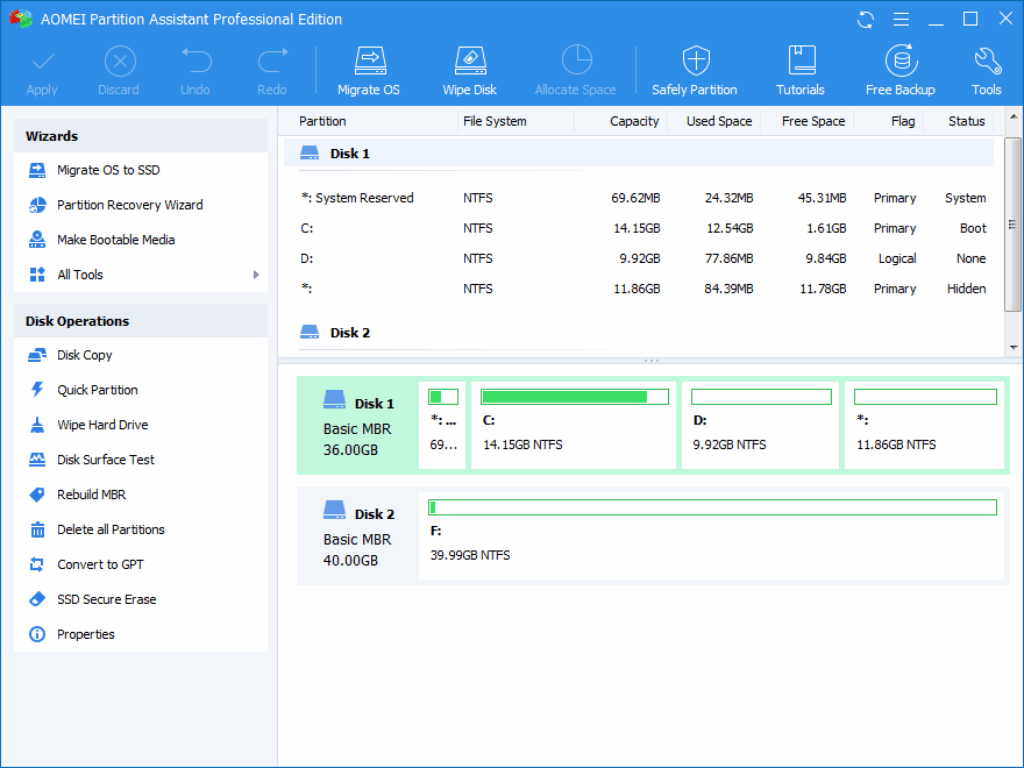
AOMEI Partition Assistant Professional is a robust, all-in-one disk management suite designed to keep your Windows PC running smoothly and efficiently. Built for both everyday users and IT professionals, it combines powerful functionality with an intuitive interface, making complex disk operations easy to perform without risking data loss. From resizing or merging partitions to reorganizing storage for improved performance, the software ensures your system’s disk space is always optimized. With support for seamless MBR-to-GPT conversion and one-click OS migration to SSD or HDD, upgrading to Windows 11 or boosting system speed becomes a hassle-free process.
Compatible with Windows 7 through Windows 11 and supporting HDDs, SSDs, NVMe drives, USB flash devices, memory cards, and RAID setups, AOMEI Partition Assistant Professional delivers unmatched flexibility for modern storage environments.
What sets AOMEI Partition Assistant Professional apart is its expansive toolkit that goes far beyond standard partition resizing. Whether you need to recover accidentally deleted partitions, securely erase sensitive files, or create a bootable recovery drive, this software provides dependable solutions for every scenario. Advanced features such as SSD 4K alignment, disk health diagnostics, and dynamic volume management ensure your storage devices operate at maximum efficiency and maintain their performance over time. Additional tools—like file system conversion, app mover, Windows To Go creation, and MBR rebuilding—make the software a comprehensive system utility ideal for both home and enterprise users. For anyone seeking a reliable, full-featured disk management solution, AOMEI Partition Assistant Professional offers exceptional value and capability.
Key Features
• Non-Destructive Partition Management
Resize, move, merge, and split partitions without losing data.
Optimize disk usage to prevent storage waste and improve system organization.
• OS Migration to SSD/HDD
Move Windows to a new SSD or HDD without requiring a fresh installation.
Boost system boot speed and overall performance instantly.
• MBR↔GPT Disk Conversion
Convert between MBR and GPT formats while keeping your data safe.
Ensure your device is fully compatible with Windows 11 requirements.
• Disk & Partition Cloning
Clone entire drives or specific partitions for upgrades, backups, or transfers.
Ideal for replacing old disks or duplicating environments.
• Bootable Media Creation
Build WinPE-based bootable USB drives or ISO images for system repair.
Restore access to unbootable systems with ease.
• Secure Data Wiping
Erase sensitive files and partitions using advanced wipe algorithms such as DoD 5220.22-M or Gutmann.
Prevent data recovery and protect privacy.
• Partition Recovery
Recover lost, deleted, or corrupted partitions after system errors, failures, or accidental deletions.
• File System Tools
Check and repair partition errors.
Convert between NTFS and FAT32 without formatting.
Format drives for various system and device requirements.
• Space Allocation & Management
Reassign unused space from one partition to another for better storage balance.
Change drive letters, rename partitions, or modify serial numbers.
• Partition Control Utilities
Hide or unhide partitions for security and organization.
Split large partitions into smaller ones for easier file management.
• SSD & Disk Optimization
Perform SSD 4K alignment to improve read/write speed.
Diagnose bad sectors and monitor disk health.
• Disk Performance & Cleanup Tools
Test read/write speeds to evaluate drive performance.
Schedule automatic disk defragmentation for traditional HDDs.
Analyze and clean large files to free up space.
• Advanced Storage Support
Manage dynamic disks and RAID configurations.
Use with virtual disks in VMware or VirtualBox environments.
• Additional Power Features
Create portable versions of the software for on-the-go use.
Integrate with Windows recovery environments.
Perform Windows To Go installations on USB devices.
 Giveaway Software